Using GitHub for the Project
GitHub is where all project files, firmware, and documentation are stored and versioned.
You can use it to download, contribute, or report issues for the Smart Auto-Watering Pot.
1. What You Need
- (Optional) A GitHub account → Create one here
- A computer with a web browser (Chrome, Edge, Firefox)
- (Optional) Git installed on your computer if you prefer command-line cloning
2. Getting the Project Files
You can download the latest version of the firmware and documentation from the repository:
- Visit github.com/mechaxil or from directly from the project documentation page
- Click Code → Download ZIP
- Extract the ZIP file somewhere on your computer.
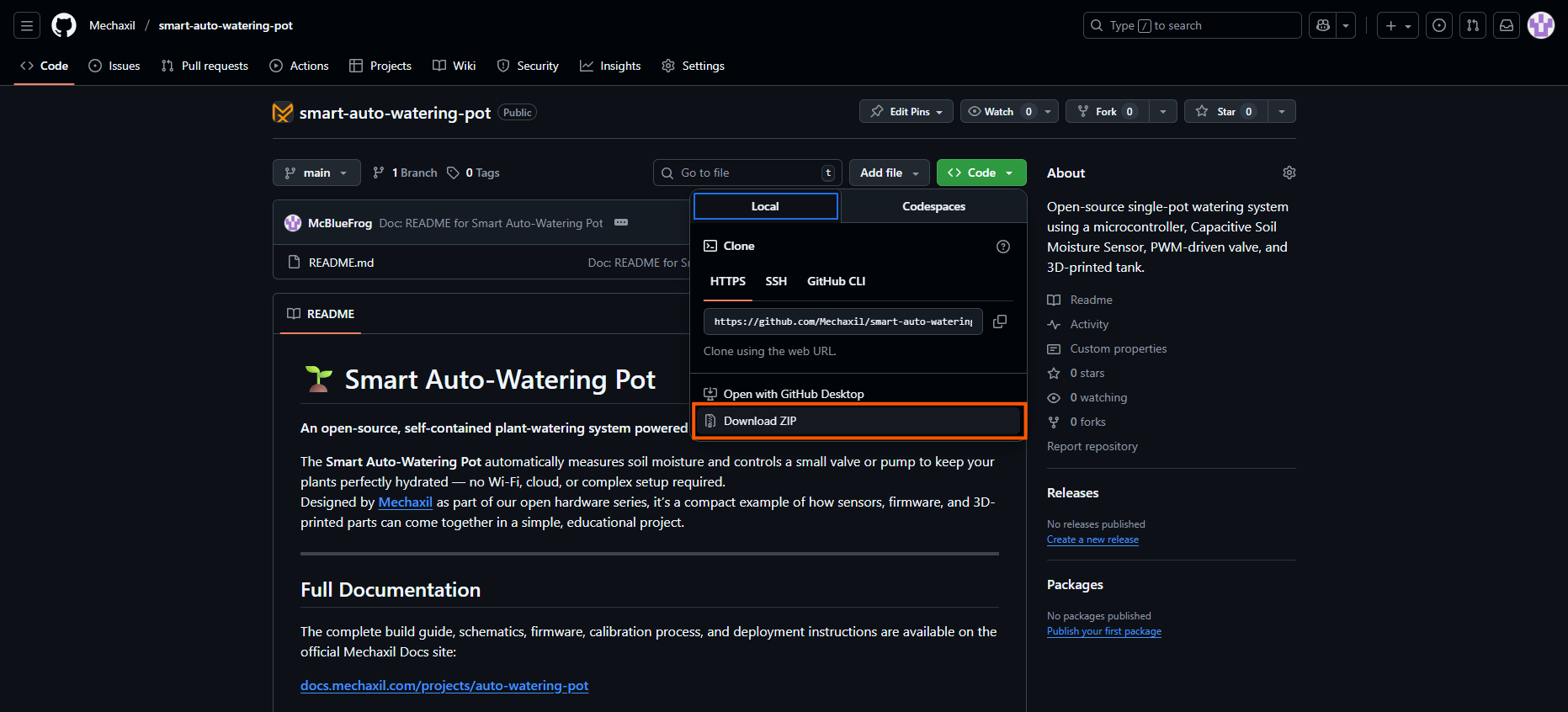
Alternatively, if you have Git installed, you can clone it directly:
git clone https://github.com/mechaxil/smart-auto-watering-pot.git
3. Browsing and Editing Files Online
You can read or edit files directly from your browser:
- Navigate through folders (e.g.
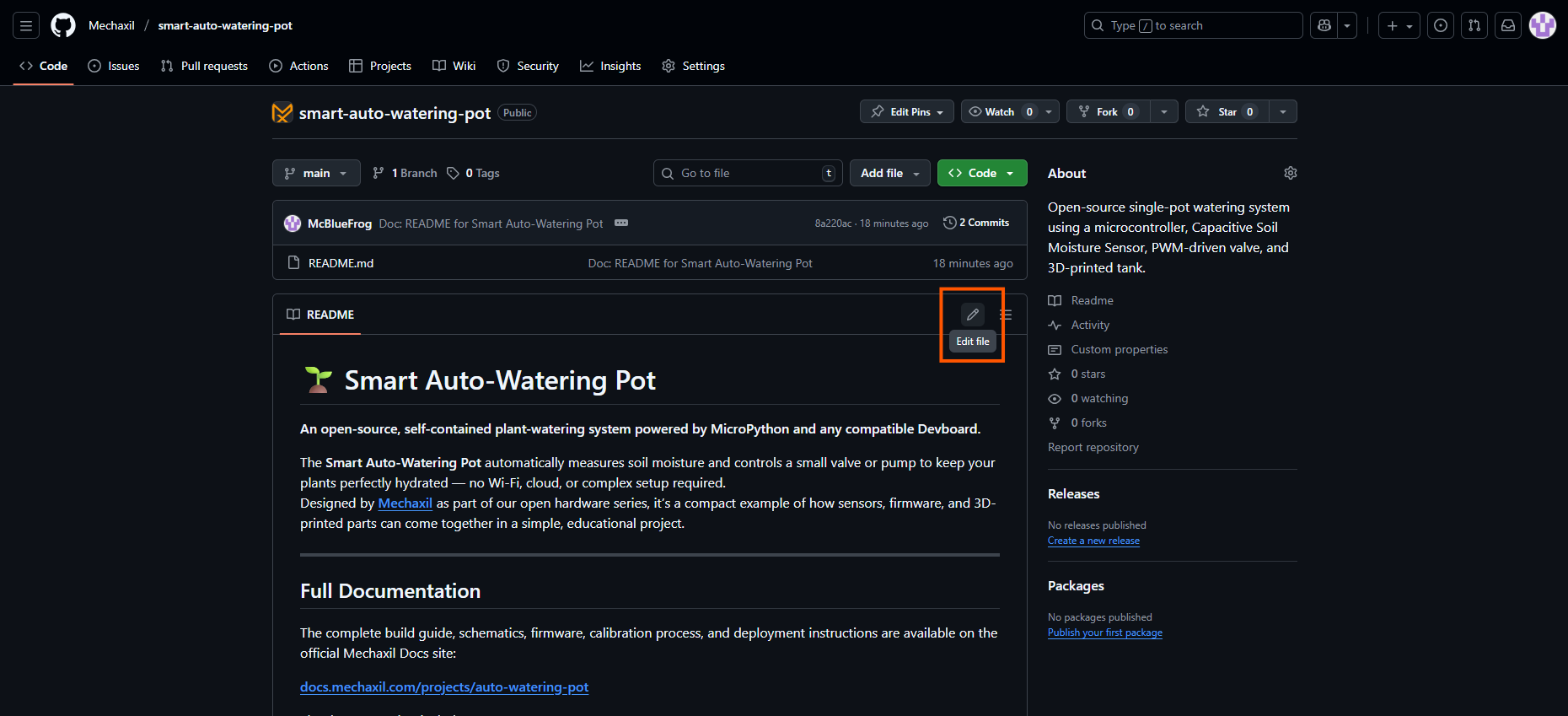
firmware/,docs/) - Click the pencil icon ✏️ to suggest an edit (GitHub will automatically create a fork)
- Save your edit — GitHub will propose a Pull Request for review
4. Reporting Bugs or Suggesting Improvements
If you've found a problem or an idea:
- Go to the Issues tab
- Click New Issue
- Choose the most fitting template (bug, suggestion, etc.)
- Fill it out clearly — attach screenshots if possible

5. Contributing with Pull Requests
If you've modified code, firmware, or docs:
- Fork the repository
- Make your edits
- Commit your changes with a short, descriptive message
- Open a Pull Request from your fork → main repository
Our team reviews contributions regularly — even small edits like typo fixes are appreciated!
6. Next Steps
Once you've downloaded the project, you're ready to upload the firmware to your microcontroller.