Firmware (MicroPython)
The firmware runs on an Development board of choice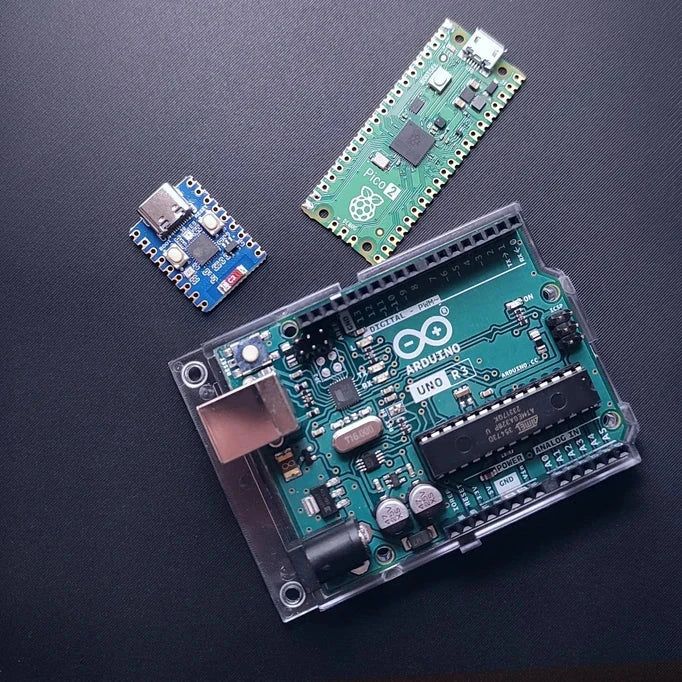 using MicroPython
It reads the Capacitive Soil Moisture Sensor
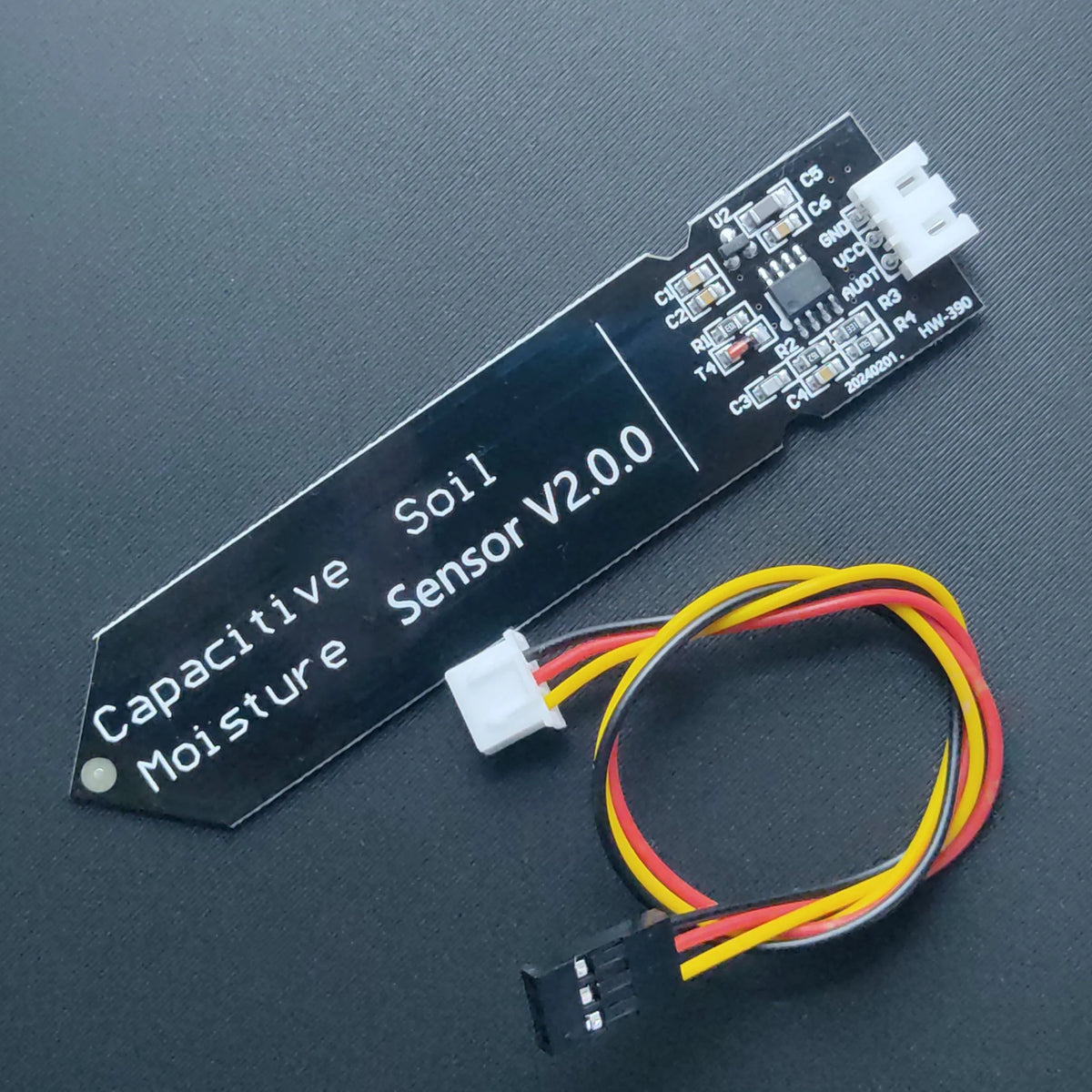 , decides when to water based on calibrated thresholds, soft-starts the valve through a MOSFET
This page describes the structure and provides a reference implementation for main.py.
File layout
firmware/
└─ main.py    # main program for the auto-watering pot
Copy main.py to the Development board of choice (e.g. using Thonny, rshell, or mpremote) so it runs on boot.
main.py (reference implementation)
⚠️ Before using this code, make sure you have calibrated the moisture sensor and updated the
DRY_THRESHOLDandWET_THRESHOLDvalues. See the Calibration page for details.
⚠️ Before plugging in the Development board make sure the valve is disconnected, since accidental current surge may damage your computer!
from machine import Pin, ADC, PWM
from time import sleep, sleep_ms

# ============================================================
# Smart Auto-Watering Pot – Universal Version
# Works on ESP32-C3 (with WS2812 RGB) or Raspberry Pi Pico (simple LED)
# Just comment/uncomment the section for your board below.
# Once configured for your board you can delete or just uncomment the other section.
# ============================================================


# ============================================================
# === ESP32-C3 (with on-board WS2812 RGB LED) ===
# ============================================================

# from neopixel import NeoPixel
# MOISTURE_PIN = 0     # ADC input for capacitive sensor
# VALVE_PIN    = 6     # MOSFET gate (PWM capable)
# LED_PIN      = 10    # WS2812 RGB LED (on-board)
# np = NeoPixel(Pin(LED_PIN), 1)
# BRIGHTNESS = 0.05

# def set_led(r, g, b):
#     """Set RGB LED color with brightness limit."""
#     r = int(r * BRIGHTNESS)
#     g = int(g * BRIGHTNESS)
#     b = int(b * BRIGHTNESS)
#     np[0] = (g, r, b)  # GRB order for WS2812
#     np.write()

# def led_closed():
#     set_led(40, 0, 0)     # red = idle/closed

# def led_open():
#     set_led(0, 40, 0)     # green = watering

# def led_ramping():
#     set_led(40, 20, 0)    # orange = transition


# ============================================================
# === Raspberry Pi Pico (with simple on-board LED) ===
# ============================================================

MOISTURE_PIN = 26   # ADC0 (GPIO26)
VALVE_PIN    = 15   # PWM output to MOSFET gate
LED_PIN      = 25   # LED GPIO 25 on-board

led = Pin(LED_PIN, Pin.OUT)

def set_led(state):
    """Helper to toggle the LED on/off."""
    led.value(state)

def led_closed():
    led.value(0)       # LED off = idle/closed

def led_open():
    led.value(1)       # LED on = watering

def led_ramping():
    """Quick blink for transition."""
    for _ in range(3):
        led.toggle()
        sleep(0.1)
        led.toggle()
        sleep(0.1)


# ============================================================
# Moisture Sensor and Valve Control
# ============================================================

adc = ADC(Pin(MOISTURE_PIN))

def read_moisture(samples=16):
    """Average several ADC readings to reduce noise."""
    total = 0
    for _ in range(samples):
        total += adc.read_u16()
        sleep_ms(10)
    return total // samples

# IMPORTANT: higher ADC reading = drier soil on this sensor type
DRY_THRESHOLD = 30000   # above this -> soil considered too dry
WET_THRESHOLD = 25000   # below this -> soil considered wet enough

# Valve via PWM
pwm = PWM(Pin(VALVE_PIN), freq=1000)
pwm.duty_u16(0)

def valve_soft_open(open_time=1.5, min_duty=20000, max_duty=65535, steps=20):
    """Soft-start the valve by ramping PWM duty from min_duty to max_duty."""
    led_ramping()
    step_delay = open_time / steps
    duty = min_duty
    for _ in range(steps):
        pwm.duty_u16(int(duty))
        duty += (max_duty - min_duty) / steps
        sleep(step_delay)
    pwm.duty_u16(max_duty)
    led_open()

def valve_soft_close(close_time=0.8, steps=15):
    """Soft-close the valve by ramping PWM duty down to zero."""
    led_ramping()
    step_delay = close_time / steps
    for i in range(steps, -1, -1):
        duty = int(65535 * i / steps)
        pwm.duty_u16(duty)
        sleep(step_delay)
    pwm.duty_u16(0)
    led_closed()


# ============================================================
# Main Loop
# ============================================================

watering = False
WATER_TIME_SEC   = 5      # watering duration (seconds)
MEASURE_INTERVAL = 5      # delay between checks (seconds)

print("Starting auto-watering (NOTE: higher ADC = drier soil).")
led_closed()

while True:
    moisture = read_moisture()
    print("Moisture ADC:", moisture, " watering:", watering)

    if not watering:
        if moisture > DRY_THRESHOLD:
            print("Soil dry -> start watering")
            watering = True
            valve_soft_open()
            sleep(WATER_TIME_SEC)
    else:
        if moisture < WET_THRESHOLD:
            print("Soil wet -> stop watering")
            valve_soft_close()
            watering = False

    sleep(MEASURE_INTERVAL)
Next steps
- Run the calibration script from the Calibration page and record ADCAnalog-to-Digital Converter - converts analog voltages into digital values that microcontrollers can read.values for dry and wet soil.
- Update
DRY_THRESHOLDandWET_THRESHOLDinmain.py. - Monitor serial output during the first real watering sessions and fine-tune the thresholds and timings if needed.